Table of Contents
ToggleMotion sensor LED lights have gone from novelty to necessity for homeowners who want convenience, security, and lower electric bills. These fixtures combine passive infrared (PIR) or microwave sensors with energy-efficient LED bulbs to deliver light exactly when and where it’s needed, no switch required. Whether you’re installing pathway lights that activate when you walk to the car at night or adding hands-free illumination in a laundry room full of baskets, the right motion sensor setup saves energy and reduces fumbling in the dark. This guide covers how these systems work, where to install them, and how to choose and wire the right fixture for your project.
Key Takeaways
- Motion sensor LED lights automatically activate when they detect movement and shut off after a preset delay, using passive infrared (PIR) or microwave sensors paired with energy-efficient LED bulbs to eliminate manual switching.
- Motion sensor LED light installations can reduce lighting energy consumption by 30–50% in intermittent-use areas, and LEDs already use 75% less energy than incandescent bulbs, resulting in significant savings over a fixture’s 15–20 year lifespan.
- Ideal indoor placements for motion sensor LED lights include closets, hallways, stairways, basements, and garages, while outdoor applications work best at entryways, pathways, driveways, and perimeter locations to boost security and safety.
- When choosing a motion sensor LED light, prioritize adjustable settings for sensitivity, time delay, and lux threshold, plus verify appropriate lumens, color temperature, and IP ratings (IP65 or higher for outdoor installations) to match your specific needs.
- Hard-wired fixtures offer maximum reliability and brightness, while battery-powered, solar, and plug-in models provide easier installation without electrical work—select based on your comfort level and location requirements.
What Is a Motion Sensor LED Light and How Does It Work?
A motion sensor LED light is a fixture that automatically turns on when it detects movement within its sensing range, then shuts off after a preset delay. Most residential units use passive infrared (PIR) sensors, which detect changes in infrared radiation, basically body heat moving across the sensor’s field of view. When you walk into range, the temperature differential triggers the relay, completing the circuit and powering the LED array.
Some higher-end models use microwave (MW) sensors or dual-technology sensors (PIR + MW). Microwave sensors emit continuous low-power radio waves and measure reflections: they’re more sensitive and can detect motion through thin barriers like glass or plastic, but they also generate more false triggers from wind-blown branches or small animals. Dual-technology units require both sensor types to confirm motion, reducing false positives at the cost of slightly slower response times.
The LED portion is straightforward: light-emitting diodes convert electrical current to visible light with minimal heat and power draw. A typical 9-watt LED bulb produces the same lumens as a 60-watt incandescent, which is why motion-activated LEDs are so efficient, they’re already low-draw, and they only run when triggered. Most fixtures include adjustable settings for sensitivity (detection range), duration (how long the light stays on after the last motion), and lux threshold (ambient light level below which the sensor activates, preventing daytime operation).
Top Benefits of Installing Motion Sensor LED Lights in Your Home
Energy savings are the headline benefit. According to Department of Energy estimates, automatic shutoff can reduce lighting energy consumption by 30–50% in areas with intermittent use, garages, basements, closets, and hallways. LEDs already use about 75% less energy than incandescent bulbs: pairing that efficiency with motion activation compounds the savings. Over a fixture’s 15–20 year lifespan (typical for quality LEDs), the cost difference is measurable, especially in multi-fixture installations.
Convenience and hands-free operation matter more than most people expect until they’ve used it. Carrying groceries in from the garage, navigating stairs with a laundry basket, or taking out trash at night all become simpler when lights turn on automatically. For households with mobility challenges or anyone juggling armloads of gear, eliminating the need to fumble for switches is a real quality-of-life upgrade.
Enhanced security and deterrence are key for outdoor applications. A sudden flood of light when someone approaches a door, driveway, or side yard alerts occupants and often discourages would-be intruders. Motion-activated lights make it harder to approach a home unnoticed. Pair them with cameras or alarm systems for layered security. Many models offered by top-rated smart home vendors integrate with broader home automation ecosystems, allowing remote control and activity logging.
Extended bulb life is a secondary but real advantage. LEDs degrade based on total operating hours: if a fixture runs only 30 minutes per day instead of 6 hours, it will last proportionally longer before you notice lumen depreciation or color shift.
Where to Install Motion Sensor LED Lights for Maximum Effectiveness
Indoor Applications
Install motion sensor LED lights in closets, pantries, and storage rooms where you typically enter with both hands full. Battery-powered or plug-in LED puck lights with built-in PIR sensors mount in minutes with adhesive strips or small screws, no wiring required. Make sure the sensor has a clear sightline to the entry: mounting high and angled downward usually works best.
Stairways and hallways benefit from hard-wired motion fixtures controlled by occupancy sensor switches. Replace a standard single-pole switch with a PIR wall switch (requires neutral wire in most models) to control existing overhead lights. Adjust the time delay to 1–2 minutes for hallways, 3–5 minutes for stairways to avoid lights cutting out mid-transit. Be aware that some jurisdictions require stairway lighting to remain on during occupied hours per IRC R303.7, so confirm local code before relying solely on motion control for egress routes.
Basements, garages, and utility rooms are prime candidates. Install ceiling-mounted fixtures with integrated sensors or retrofit existing fixtures with screw-in LED bulbs that have built-in PIR sensors (these fit standard E26 sockets). Sensor bulbs are a quick retrofit but may have limited adjustability compared to dedicated fixtures.
Avoid placing sensors where they’ll be triggered by heat sources, furnace vents, space heaters, or direct sunlight through windows can cause false triggers. Position the sensor perpendicular to expected traffic paths for best detection: PIR sensors are better at detecting movement across the field of view than straight toward the sensor.
Outdoor Applications
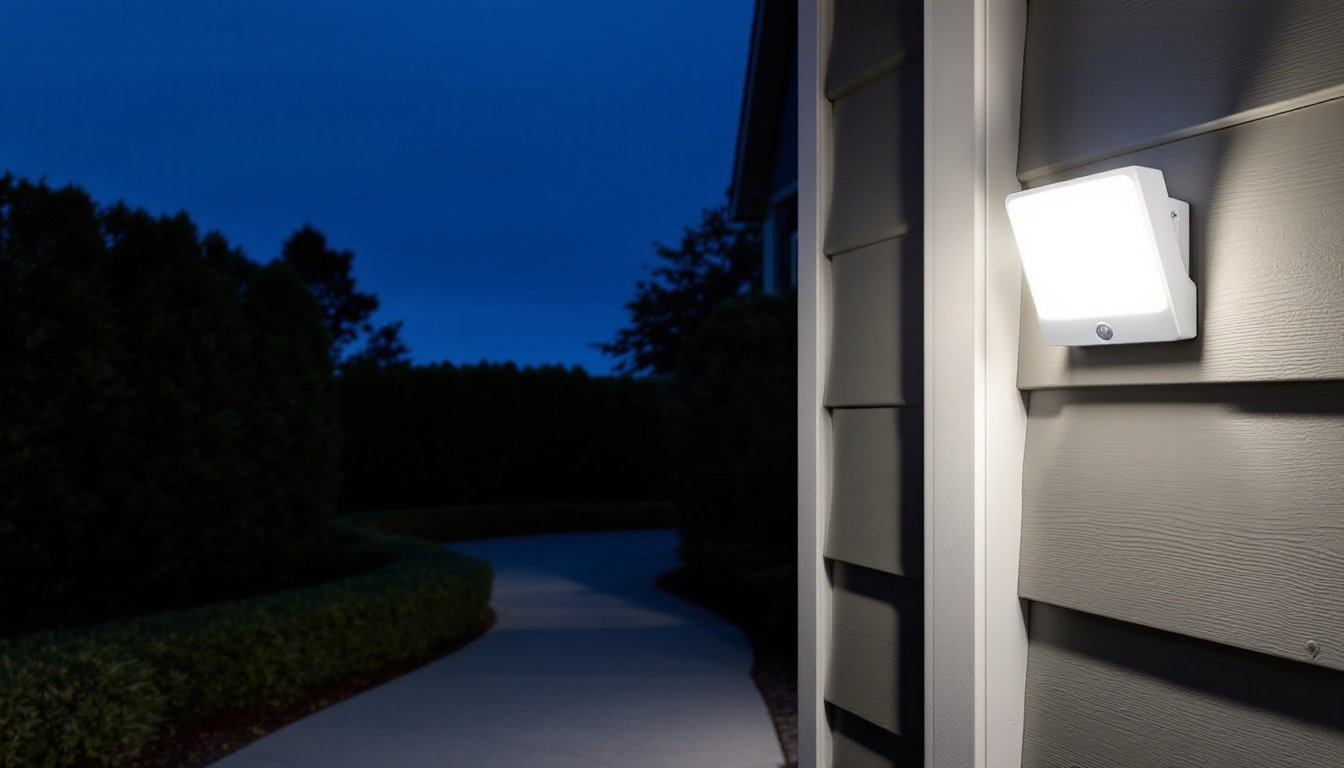
Entryways, porches, and garage doors are the most common outdoor installations. Mount fixtures 8–10 feet high, angled to cover the approach path. For garage and driveway lighting, choose models rated for wet locations (UL listing) and with durable housings, die-cast aluminum or impact-resistant polycarbonate. Adjust sensitivity to avoid triggers from passing cars or pedestrians on the sidewalk if the sensor field extends beyond your property line.
Pathway and step lighting improves safety and aesthetics. Low-voltage LED path lights with integrated PIR sensors can be wired to a landscape lighting transformer or run on solar power with rechargeable batteries. Solar models work well in areas with consistent sun exposure but may underperform in shaded or northern climates during winter months. For reliability, stick with low-voltage wired systems on a photocell and motion sensor combo.
Perimeter and security lighting along fences, sheds, or dark side yards deters trespassing and improves visibility. Consider fixtures with adjustable heads so you can aim light precisely where needed without spill into neighbors’ yards. Some municipalities have ordinances limiting light trespass and glare: shielded fixtures and properly aimed sensors help stay compliant. For a comprehensive breakdown of outdoor security lighting options, expert testing can guide fixture selection based on detection range and durability.
Avoid aiming sensors at streets, moving tree branches, or HVAC equipment that cycles on and off, these all generate false triggers. Test and adjust sensitivity and lux settings after installation: most people set initial sensitivity too high and dial it back after a few days of observation.
How to Choose the Right Motion Sensor LED Light for Your Needs
Start with detection range and field of view. Indoor sensors typically cover 15–20 feet with a 90–110° field: outdoor models often reach 30–50 feet with up to 180° or even 240° coverage. Match the range to the space: a narrow hallway needs less range and a tighter cone, while a driveway benefits from wider, longer detection.
Check the adjustability of key parameters. Quality fixtures let you tune sensitivity (to filter out pets or small animals), time delay (from 30 seconds to 10+ minutes), and lux threshold (so lights don’t activate in daylight). Fixed-setting models are cheaper but less adaptable if your needs change or you get frequent false triggers.
Lumens and color temperature should match the task. For security and utility lighting, 800–1500 lumens with a 5000K daylight or 4000K neutral white color temperature provides clear visibility. For entryways or accent lighting, 400–800 lumens at 2700K–3000K warm white is less harsh and more welcoming. Remember that LED color temperature doesn’t change over a fixture’s life the way CFLs did, so choose carefully upfront.
Power source and installation type matter. Hard-wired fixtures (120V or low-voltage) offer the most reliability and brightness but require running cable and possibly a permit if you’re adding new circuits. Battery-powered models install anywhere but need periodic battery swaps, rechargeable lithium packs are more convenient than disposable AAs. Solar fixtures eliminate wiring and power costs but depend on sunlight and have shorter runtime in winter. Plug-in models work for indoor spots near outlets.
For outdoor installations, verify the IP rating (Ingress Protection). IP65 is dust-tight and protected against water jets, suitable for covered porches or eaves. IP66 or IP67 offers greater water resistance for fully exposed locations. Coastal or high-humidity environments may also require corrosion-resistant materials like powder-coated aluminum or stainless steel hardware.
If you want smart home integration, look for fixtures compatible with Zigbee, Z-Wave, or Wi-Fi platforms (Alexa, Google Home, HomeKit). These allow remote on/off, scheduling, and integration with other sensors or cameras. Be prepared to pay a premium and accept that firmware updates and app changes can occasionally disrupt functionality.
Step-by-Step Installation Guide for Motion Sensor LED Lights
Safety first: Turn off power at the breaker before working on any hard-wired fixture. Use a non-contact voltage tester to confirm the circuit is dead. Wear safety glasses and use a stable ladder rated for your weight plus tools.
1. Choose the mounting location. For outdoor fixtures, locate a junction box on an exterior wall or install a weather-resistant box if one doesn’t exist. Make sure the sensor has an unobstructed view of the area you want to monitor. Mark mounting holes with a pencil.
2. Prepare the electrical connection. If replacing an existing fixture, remove the old one and inspect the junction box. You’ll typically find a black (hot), white (neutral), and bare or green (ground) wire. If installing a new fixture where none existed, you’ll need to run 14/2 NM-B cable (for 15A circuits) or 12/2 NM-B (for 20A circuits) from a power source, consult local codes and consider hiring a licensed electrician if you’re adding a new circuit. Most jurisdictions require permits for new branch circuits.
3. Mount the fixture. Secure the mounting bracket to the junction box using the provided screws. For outdoor installations, apply a bead of silicone caulk around the box perimeter to prevent water intrusion behind the fixture.
4. Make wire connections. Connect fixture wires to house wiring: black to black (hot), white to white (neutral), and ground to ground. Use twist-on wire connectors rated for the wire gauge (yellow for 14 AWG, orange for 12 AWG). Tuck wires neatly into the box and attach the fixture to the mounting bracket. Outdoor fixtures usually have a rubber gasket, make sure it’s seated properly to maintain the IP rating.
5. Adjust sensor settings. Most fixtures have small dials or switches for sensitivity, time delay, and lux threshold. Start with mid-range sensitivity, a 1–2 minute delay, and lux set to activate only in darkness. Power on the circuit and test by walking through the detection zone. Fine-tune settings based on performance: it’s normal to need several adjustments over the first few days.
6. Final details. For outdoor fixtures, apply additional silicone caulk at the top seam where the fixture meets the wall to direct water away from the junction box. For indoor fixtures, install the lampshade or diffuser and wipe down the lens.
Battery-powered or plug-in models skip the wiring steps, just mount with screws or adhesive strips, insert batteries or plug in, and adjust settings. These are a good DIY entry point if you’re not comfortable with electrical work, though brightness and sensor range are often more limited than hard-wired options.
If your project involves running new cable through walls or attic spaces, drilling through fire blocking, or working in wet locations, check whether a permit is required. Electrical work is governed by the National Electrical Code (NEC), and many local jurisdictions require licensed electricians for anything beyond fixture replacement. Pulling a permit ensures an inspection and helps avoid issues during home sales or insurance claims.