Table of Contents
ToggleHome automation has evolved beyond app-controlled bulbs and voice assistants. For homeowners serious about a scalable, future-proof smart home, KNX stands apart, an open protocol used in commercial buildings and high-end residential projects worldwide. Unlike proprietary systems that lock you into one manufacturer’s ecosystem, KNX lets you mix and match components from hundreds of certified manufacturers on a single, stable network. If you’re planning a major renovation, building new, or simply tired of juggling five different apps for lights, climate, and security, KNX offers a professional-grade solution that integrates everything under one roof.
Key Takeaways
- KNX home automation is an open-standard, manufacturer-agnostic protocol that lets you integrate components from 500+ certified companies on a single stable network, avoiding vendor lock-in and forced obsolescence.
- Unlike Wi-Fi-based systems, KNX uses a dedicated wired bus infrastructure that operates independently of your internet connection, delivering 10-20 years of reliable uptime without cloud dependencies or subscription fees.
- A typical KNX home automation setup costs $5,000–$15,000 and requires professional installation by a certified integrator, but spreads across decades with minimal maintenance and zero ongoing subscription costs.
- KNX excels at creating unified control scenes—one button press can dim lights, lower shades, adjust climate, and trigger security routines—while wireless alternatives require juggling multiple apps.
- Energy monitoring and smart integration with renewable systems (solar, batteries, EVs) help KNX homeowners reduce utility bills by 10-15% and optimize self-consumption from distributed generation.
- Start small with lighting and climate control, then expand to motorized shades, security, and advanced features as your needs grow, using the same infrastructure without replacing core components.
What Is KNX Home Automation?
KNX is an international open standard (ISO/IEC 14543) for building automation, managing lighting, HVAC, blinds, security, and energy monitoring through a single wired or wireless bus system. Think of it as the electrical wiring behind your walls, but specifically for control signals.
Unlike Wi-Fi–based smart home gadgets, KNX devices communicate over a dedicated twisted-pair cable (typically KNX TP, or twisted pair), which runs alongside your standard electrical wiring. Each component, switches, sensors, actuators, gets a unique address and responds to commands sent over the bus. Programming happens through ETS (Engineering Tool Software), the universal configuration platform that works with every KNX-certified product regardless of brand.
This protocol dates back to the 1990s and powers installations in over 190 countries, from luxury homes to airports. It’s designed for permanence: a properly installed KNX system can run for decades without proprietary cloud services, subscription fees, or forced obsolescence when a manufacturer pivots to a new platform.
Because KNX is manufacturer-agnostic, you can buy sensors from one company, actuators from another, and touchpanels from a third, everything works together. That’s a stark contrast to most consumer smart home platforms, where switching brands means starting over.
Why Choose KNX Over Other Smart Home Systems?
Interoperability is the headline advantage. KNX has over 500 member companies and 8,000+ certified products. If you start with one brand and it discontinues a product line, you’re not stuck, swap in a compatible replacement and reprogram through ETS.
Reliability comes from the wired bus topology. Wi-Fi congestion, router reboots, and IoT device firmware bugs don’t affect KNX. The bus runs independently of your home network. Many installers cite KNX systems operating 10–20 years without downtime, which is unheard of in consumer-grade knx smart home setups.
Scalability matters for renovations and additions. Start with lighting control in a few rooms and add HVAC zones, motorized shades, or irrigation later without replacing infrastructure. The bus can handle hundreds of devices: ETS lets you reorganize scenes and logic as your needs change.
Local control means your system doesn’t depend on cloud servers. Even if your internet goes down, KNX switches, sensors, and automation routines keep running. You can add remote access through a secure IP gateway if you want app control, but it’s optional.
Resale value is a consideration for high-end homes. Buyers recognize KNX as a professional-grade installation, not a DIY patchwork of devices that may be obsolete in two years. According to Digital Trends, integrated home tech is increasingly cited as a selling point in luxury real estate.
The tradeoff: upfront cost and professional installation. KNX isn’t plug-and-play. You’ll need a certified integrator for design and programming, and components cost more than off-the-shelf Wi-Fi gadgets. Budget $5,000–$15,000 for a modest whole-home setup, more for complex installations with climate zoning and security.
Key Components of a KNX Smart Home System
A KNX installation has three core component types:
1. Sensors and Input Devices
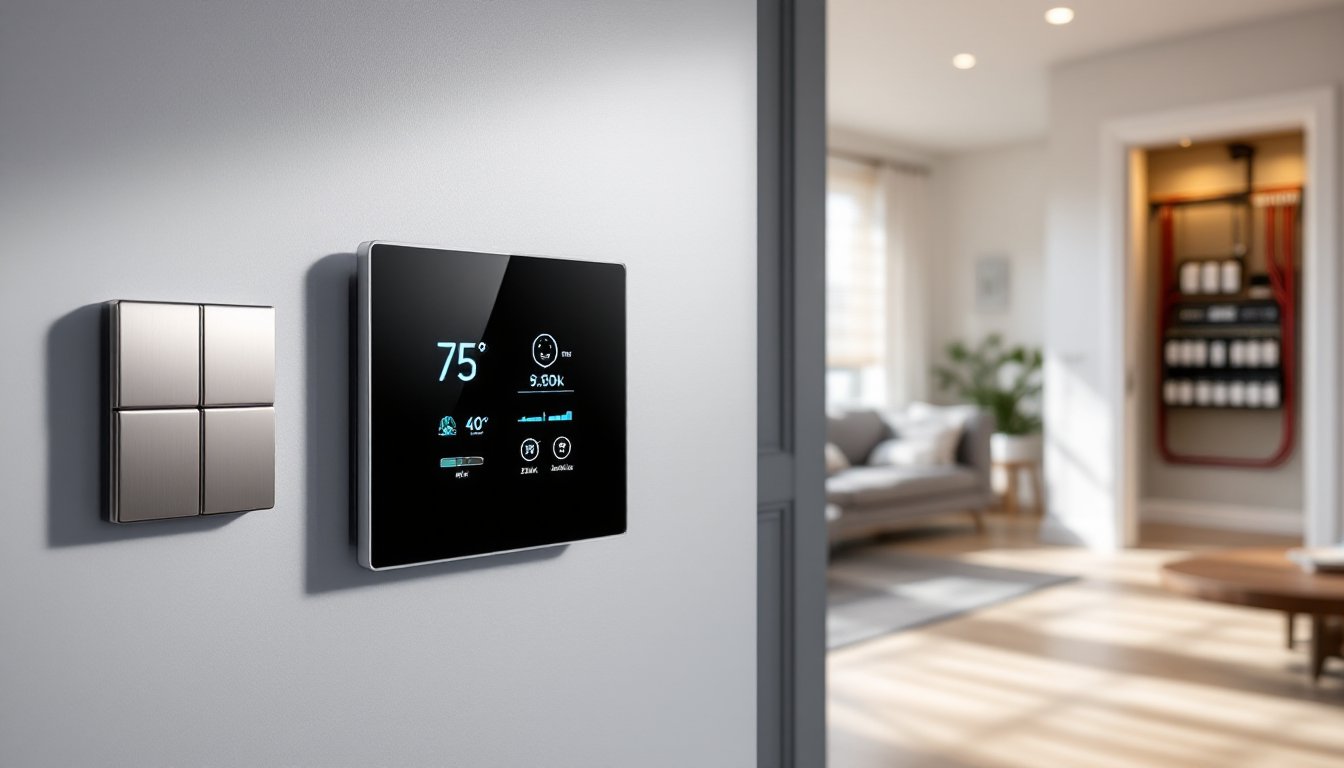
These detect user actions or environmental changes: wall switches, motion sensors, temperature probes, light sensors, and reed contacts on doors/windows. A KNX switch looks like a standard wall switch but sends commands over the bus instead of switching line voltage directly. You can configure a single button to trigger multiple scenes, dim lights, lower shades, and set the thermostat, all with one press.
2. Actuators
Actuators do the physical work: switching lights on/off, dimming LED circuits, opening/closing motorized blinds, controlling HVAC dampers, and unlocking doors. They’re typically DIN-rail mounted modules installed in your electrical panel or sub-panels. For example, a 4-channel switch actuator can control four independent lighting circuits. You wire line voltage through the actuator: the KNX bus tells it when to energize each channel.
3. System Devices
The power supply provides 29 VDC to the KNX bus (standard SELV voltage). A typical bus power supply can support 640 mA, enough for roughly 60–80 devices per line. Larger systems use line couplers to segment the network into multiple lines, each with its own power supply, all connected via a backbone. An IP interface or router bridges the KNX bus to your Ethernet network, enabling visualization on tablets, smartphones, or wall-mounted touchpanels.
Wiring uses KNX TP cable (twisted pair): a two-core, shielded cable (commonly red/black conductors) rated for bus topology. It’s low-voltage, so it doesn’t require conduit in most jurisdictions, but running it alongside AC wiring is good practice to avoid interference. Cable runs follow a bus or star topology: you can’t use standard Ethernet switches.
Programming happens via ETS software, licensed by the KNX Association. ETS is Windows-based and lets you assign group addresses (logical channels that link inputs to outputs), configure device parameters, and define scenes and logic. Some integrators also use third-party visualization software (e.g., Gira HomeServer, Loxone, or open-source tools like OpenHAB) for custom dashboards and advanced automation.
Popular KNX Applications for Homeowners
Lighting and Climate Control
Lighting is the most common entry point. KNX lets you create scenes that recall specific dimming levels and color temperatures across multiple rooms. Instead of a dozen app-controlled bulbs, you have centralized control: a single wall switch can trigger “Movie Night” (dim living room sconces to 20%, turn off kitchen pendants, close blackout shades). LED dimming modules support 0–10 V and DALI protocols, giving flicker-free performance with compatible fixtures.
Presence detection ties into occupancy sensors to turn lights on when someone enters a room and off after a set delay. Combine motion sensors with daylight sensors to adjust artificial lighting based on available sunlight, cutting energy use without manual input.
Climate control integrates thermostats, zone valves, and fan coil units. KNX can manage multi-zone HVAC with individual room setpoints. Temperature sensors in each room feed data to actuators controlling radiator valves or ductless mini-split heads. Set schedules that lower heat in unused bedrooms overnight or ramp up AC 15 minutes before you arrive home. Unlike most consumer thermostats, KNX can coordinate HVAC with window contacts, open a window, and the system automatically cuts heat or cooling to that zone.
Motorized shades and blinds integrate seamlessly. Program them to lower in the afternoon when the sun hits south-facing windows, reducing cooling load, then raise at sunset for ambient light. Link shades to alarm systems so they close when you arm the house.
Security and Energy Management
KNX isn’t a security panel, but it integrates with professional alarm systems and access control. Door/window contacts and glass-break sensors send status to the KNX bus. You can configure “Away” scenes that lock doors, arm the alarm, close all shades, and shut off unnecessary lights. Video intercoms and smart locks from KNX-certified manufacturers (e.g., Gira, ABB) tie into the same network.
Energy monitoring uses KNX-compatible metering modules that track electricity, gas, and water consumption at the circuit or appliance level. Visualize usage on a touchpanel or smartphone app and set alerts for abnormal spikes, helpful for detecting leaks or malfunctioning equipment. According to CNET, whole-home energy monitoring can help homeowners identify phantom loads and cut utility bills by 10–15%.
Load shedding is another advanced feature: if your solar inverter signals low battery state or peak grid demand, the KNX controller can temporarily disable high-draw appliances (water heaters, pool pumps) to stay within your supply envelope.
Integration with renewable systems, solar panels, battery storage, is growing. Some KNX modules interface with inverters to prioritize self-consumption: charge the EV or run the heat pump when solar production is high, defer heavy loads when drawing from the grid.
For homeowners exploring broader smart home automation strategies, KNX provides a backbone that can incorporate third-party devices through gateways. Philips Hue, Sonos, and even voice assistants (Alexa, Google Assistant) can layer on top via IP interfaces, giving you both professional-grade infrastructure and consumer-friendly interfaces.
Getting Started: Installation and Cost Considerations
DIY vs. Professional Installation
KNX requires programming knowledge and familiarity with electrical work. While technically a motivated DIYer can buy ETS Lite (free demo, limited features) and experiment, most homeowners hire a KNX-certified integrator. These professionals design the system layout, calculate bus load, run cable, mount actuators in panels, commission devices, and program logic. Improper bus topology or incorrect power supply sizing can cause intermittent faults that are hard to troubleshoot.
If you’re doing a gut renovation or new build, this is the ideal time to install KNX. Running bus cable during framing is straightforward: retrofitting into finished walls is trickier but possible using wireless KNX RF components (radio frequency) for select devices. Wireless KNX isn’t as robust as the wired bus, but it avoids tearing into drywall.
Permitting and Code
KNX wiring is low-voltage (Class 2 in NEC terms), so it typically doesn’t require permits. But, any work on line-voltage circuits, installing actuators, moving breakers, does require permits and a licensed electrician in most jurisdictions. Your integrator will coordinate this. Always verify local codes: some municipalities have specific requirements for home automation systems tied to life safety (e.g., integrating smoke detectors).
Cost Breakdown
Pricing varies by region, project scope, and component selection. As a rough guide:
• Hardware: $2,000–$8,000 for a modest home (lighting, climate, shades in 3–4 rooms). High-end touchpanels, multi-room audio integration, and advanced security push costs higher.
• Labor: $3,000–$10,000+ for design, installation, and programming. Integrators charge hourly ($75–$150/hr) or flat-rate per project.
• ETS License: $200–$1,000 depending on version (Home, Lite, Professional). The integrator usually owns this.
Components like actuators, sensors, and power supplies cost more than equivalent Wi-Fi devices, budget $50–$200 per switch actuator channel, $80–$300 for dimming modules, $150–$500 for touchpanels. High-quality German or Swiss brands (Gira, Jung, ABB) command premium pricing but offer refined industrial design.
Ongoing Costs
KNX has no subscription fees. Maintenance is minimal: replace sensors or switches if they fail (rare), and update programming if you add rooms or change routines. Some integrators offer annual service contracts ($200–$500) for remote support and software updates.
Expanding Over Time
Many homeowners start small, lighting and climate in primary living areas, then expand. Because KNX uses group addresses, adding devices is straightforward: wire the new component to the bus, assign addresses in ETS, and link it to existing scenes or create new ones. This phased approach spreads costs and lets you learn the system before going all-in.
For those evaluating home automation products across different protocols, KNX sits at the professional tier. It’s overkill for someone who wants a few smart plugs, but it’s the right fit for homeowners planning a comprehensive, long-term networked home that won’t need replacement in five years. According to Popular Mechanics, integrated wired systems like KNX consistently outperform wireless alternatives in reliability and lifespan, especially in larger homes.
Safety Gear: If you’re assisting your integrator or running cable yourself, wear safety glasses when drilling through studs and work gloves when pulling cable. Low-voltage work is relatively safe, but always turn off breakers before accessing electrical panels.